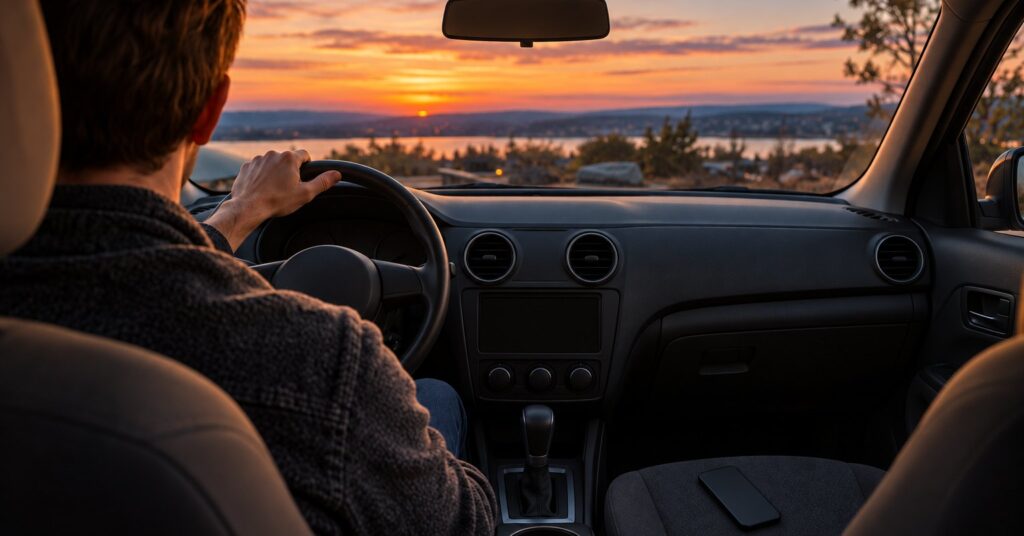
A connected car account is the login a manufacturer asks for so an app can lock the doors, save trips, or switch on extra features. After this guide you can test whether your car works without a connected car account, keep maps on your phone, and clear the login before you sell or hand the keys back.
Last checked October 28, 2026.
Quick answer
- Try the lock, the start, and the controls you need before you create a connected car account.
- Organic Maps and OsmAnd can give directions from maps stored on the phone.
- In the EU, the free crash call stays inactive during ordinary driving. A paid roadside service is separate.
- A factory reset leaves data already sent to the cloud. Remove the car from the account as well.
- Before a sale or rental return, unpair the phone and clear saved places.
Why a connected car account matters for your privacy
On 6 September 2023, Mozilla reported that all 25 car brands it reviewed received failing marks for consumer privacy.1 Researchers found data gathered by sensors, microphones, cameras, phones people connect, and car apps.1 Those apps can also collect location and biometric information, a measurement taken from the body.1 Skipping the app or the connected services might mean the car does not work properly, or at all, so test while parked.1
Australia’s Cyber Security Centre, in a guide published on 30 June 2025, says telematics systems collect and transmit data to manufacturers and other providers in real time.2 Telematics is the car’s built-in link for status and location. Examples include call logs, SMS logs, contacts, and real-time satellite locations, including navigation entries.2 A connected screen can hold transcripts of text messages, call logs, and possibly recorded calls.2 The centre says this can be stored permanently by the manufacturer.2
The apps can remotely lock or unlock, start or stop the engine, change the climate control, and reach cameras and interior microphones.2 They often use cloud networks, meaning someone else’s computers, run by the manufacturer, a dealer, or the app provider.2 The centre says the links create more ways for criminals to reach the vehicle. When manufacturers were notified of reported flaws, they took steps to fix them.2
Your options: four ways to handle the login
1. Leave the manufacturer account empty
If the car locks, starts, and shows the controls you need with the setup screen skipped, leave the account empty. Some connected features may still be required for the car to work as sold.1 Where the menu has “share vehicle data,” turn it off where possible, and weigh a smart-driver report before you enable it.2
- Pros: No app profile tied to your name, email, or saved places.
- Cons: Remote features may be missing. Suits a car that already drives without a login.
2. Put navigation on the phone
Organic Maps is free, with no ads and no tracking.4 It does not require registration, its features work without an internet connection, and it includes spoken car navigation on CarPlay and Android Auto.4 The licence is Apache 2.0.4
OsmAnd says it works totally offline, with turn-by-turn voice guidance, a car profile, and Android Auto and CarPlay.5 No account is required, and OsmAnd says your data stays on the device.5 Cloud backup of favourites and tracks is optional.5 F-Droid’s suggested build is 5.4.10, added on 12 October 2026, under GPL v3.0 only.6 A 5.4.11 beta was added on 25 October 2026.6 F-Droid notes a unique installation ID sent with map downloads, which you can turn off in Settings.6
- Pros: Routes stay in the phone app.
- Cons: Download regions first. Suits drivers who want directions without a map login.
The guide to offline maps once you are in the car covers the download and a parked test.
3. Use the car screen through the phone
Apple says you do not have to sign in to an Apple Account to use Maps.7 A directions request sends route details to Apple, including whether you are connected to CarPlay.7 With CarPlay Route Sharing on, Apple shares the origin and current location, the destination, and the route line with the car.7 That share is not tied to your Apple Account.7 The car’s use of it follows the car’s privacy policy.7 Turn it off under Settings, General, CarPlay, your car, Route Sharing.7 Decline a prompt that copies contacts. A phone link, especially in a rental, is worth a pause.2
- Pros: Phone apps on the built-in screen, with route sharing left off.
- Cons: The phone stays paired. Suits drivers who will check the sharing switches.
4. Keep one small account
If one feature, such as remote lock, is worth a login, use a long unique password and multi-factor authentication.2 That second check is an extra code. BellCrier’s free password generator can make the password. Review who else has access to the car in the app.2
- Pros: You keep the one remote feature you use.
- Cons: You must delete the car later. Suits one feature you truly want.
For the key and the camera, see a quieter car.
Emergency calls are separate from the account
In the EU, eCall places a free 112 call after a serious crash.3 You can also press a button to start it.3 It switches on only for a serious accident.3 While you are simply driving, that system does not track the car or send data.3 A model approved after 31 March 2018 must include it, for cars with up to eight seats and for light commercial vehicles.3 A manufacturer’s extra roadside service can cost money, unlike the free 112 call, and you must be allowed to choose between them.3 Tracking for that paid service needs your explicit consent.3
Step by step: skip the account, or keep it small
- Park and test. Skip the connected car account if the screen allows it, then try the lock and the start.
- Set the data switch. Turn off “share vehicle data” where you can.2
- Save maps at home. In Organic Maps or OsmAnd, download home, the destination, and the roads between them.
- Choose the screen. On CarPlay, leave Route Sharing off unless you want the car to receive the route.7 Decline a copy of your contacts.
- Clear the car before it leaves you. Consumer Reports, in an article updated on 20 August 2026, says to delete sensitive information from the screen, the apps, and anywhere else it is stored.8 Unpair the phone, remove payment cards, and sign in again to confirm the cards are gone.8 Allow several days.8
- Reset, then unlink the cloud copy. Look under settings, account information, or profile.8 A factory reset does not delete data already sent to the cloud, so remove the car from the account too.2 Deleting the phone app is not the same thing.8
- On a used car, reverse this. Reset before you rely on it, and make sure the previous owner has no linked-service access.2 Consumer Reports says Privacy4Cars is currently free for consumers and, from the 17-digit vehicle number, lists what data that car collects.8
Common mistakes to avoid
- Creating the account at the dealer before you know which features need it.
- Treating an empty login as proof that the car sends nothing.
- Switching off the EU 112 crash call because it sounds like a subscription.
- Deleting the manufacturer app and stopping there.
Frequently asked questions
Can I drive without a connected car account?
Test the lock and the start with the login skipped. Mozilla reported that avoiding connected services might mean the car does not work properly.1
Does skipping the account stop location sharing?
Australia’s guide lists real-time satellite locations, including navigation entries, among data a connected car can send.2
Does the EU crash call need a connected car account?
The free 112 eCall system stays inactive during ordinary driving and sends data only in a serious accident.3
How do I remove a connected car account before I sell?
Reset the screen and remove the car from the connected account.2 A reset does not erase data already sent to the cloud.2 If a dealer says the data is gone, Consumer Reports reports advice to ask for written proof.8
Sources
- Mozilla Foundation: Every car brand reviewed by Mozilla flunks privacy test
- Australian Cyber Security Centre: Introduction to connected vehicles
- Your Europe: eCall 112-based emergency assistance from your vehicle
- Organic Maps: Offline Hike, Bike, Trails and Navigation
- OsmAnd: Offline Maps and Navigation
- F-Droid: OsmAnd
- Apple: Apple Maps and Privacy
- Consumer Reports: How to Clear Your Personal Data From a Car