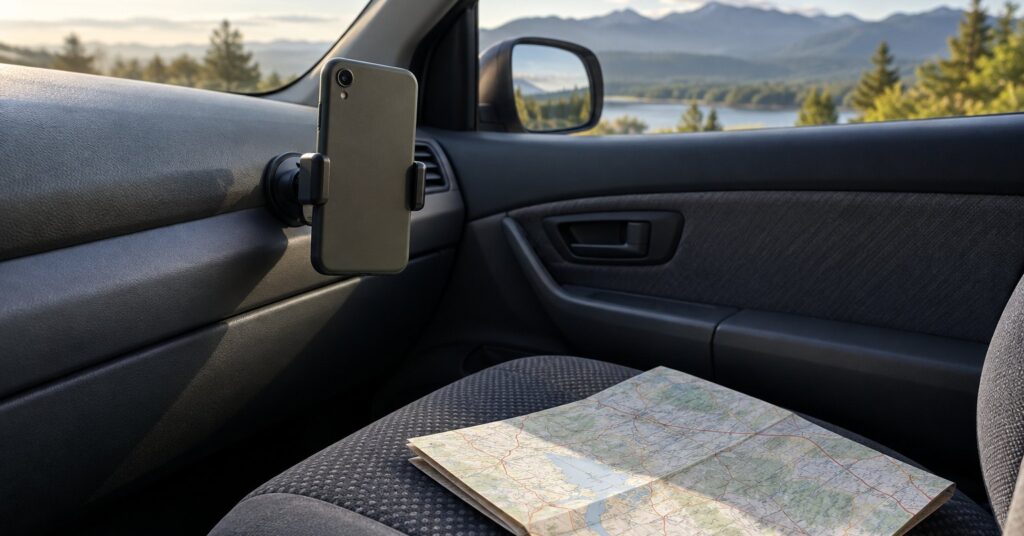
A phone that asks a live service for every turn is sharing the drive. Offline maps for driving store the roads on the phone first, so directions come from a file you already saved. This is for anyone who navigates from the driver’s seat and wants to download and test that map before leaving.
Last checked October 28, 2026.
Quick answer
- Download the region before you drive. A live session can send the route while you move.
- Google Maps can guide a drive from a saved area if the whole route is inside it, without traffic or alternate routes.
- Apple Maps on iOS 17 or later can give turn-by-turn directions from a saved area with no Wi-Fi or cellular connection.
- Organic Maps is a free offline driving app with voice guidance. It says it does not collect your data.
- OsmAnd also navigates offline. Free region downloads are limited, and the car screen is paid.
Why a live driving map shares the trip
The satellites your phone uses for position do not follow the car. The U.S. GPS program says they do not track anything on the ground.1 They are beacons that broadcast one-way signals, like lighthouses.1 A maps company learns the drive only if an app sends the route.
Google’s help page says that while you navigate with Google Maps, Google collects data.2 That includes GPS location, the route you took, and sensor readings such as the barometer.2 For turn-by-turn, collection starts shortly after you tap Start.2 It stops after you arrive, or if you tap Exit or Close.2 Google says that after processing, this navigation data is deleted.2 Map updates built from it are not tied to your Google Account or your device.2 A search for directions may be associated with your Google Account.2
Your options for offline maps in the car
A saved area in the maps app you already use
In Google Maps you can save an area and use it offline.3 On Android, the download needs the internet, and you must be signed in.3 On iPhone, it needs the internet, and you must not be in Incognito mode.9 Guidance works when the entire route is inside that map.3 Offline, walking, cycling, and transit directions are unavailable, and a drive has no traffic or alternate routes.3 Some countries or regions cannot download these maps.3 Update an area before it expires.3 Within 15 days of expiry, on Wi-Fi, Google Maps tries to update it automatically.3
On iPhone, Apple Maps in iOS 17 or later can save an area and still navigate with no Wi-Fi or cellular connection, including turn-by-turn driving, walking, cycling, or transit, plus an arrival time.4 Maps shows the file size first.4 Saved maps do not sync across devices.4 They exist only in select areas, and a map for one region is not for every region.4 Automatic Updates is on by default.4 Only Use Offline Maps keeps the phone on the saved copy even with a connection.4
Pros: familiar buttons, and a saved area that still guides the drive.
Cons: On Android, Google needs a sign-in. On iPhone, leave Incognito mode off. Some regions cannot be saved, and an offline drive has no traffic.
This suits a trip that fits in one saved area.
Organic Maps
Organic Maps is a free offline app for hiking, cycling, and driving, with no ads and no tracking.5 Its maps are powered by OpenStreetMap data.5 The project says every feature works without an internet connection.5 That includes turn-by-turn car navigation with voice guidance, plus CarPlay and Android Auto, which show a phone app on a car screen.5 The page also says there is no data collection.5 The app is open source under the Apache License 2.0.5 See the Academy guides to Organic Maps and CoMaps.
Pros: free, no account, spoken directions, and a car screen with the connection off.
Cons: each region must be downloaded first.
It suits a simple drive with no subscription.
OsmAnd
OsmAnd is the offline app for drivers who want more control, including a GPX or KML file, which stores a track. The free Android and iPhone apps include offline turn-by-turn directions, are ad-free, and can import those files.78 The Academy guide to OsmAnd covers the setup.
Free downloads are limited. Android allows 7 region downloads, and an update counts as one.7 A world overview, altitude correction, fonts, and voice prompts do not count.7 iPhone allows 5, an update counts, and the same extras are excluded.8 On both price lists, for the U.S. and Europe, Maps+ is €69.99 or $69.99 once, or €14.99 or $14.99 for 12 months. OsmAnd Pro is €5.99 or $5.99 a month, or €39.99 or $39.99 a year. Other regions pay the local equivalent.78 Android Auto is on Maps+ and OsmAnd Pro, not the free app, and only from Google Play.7 On iPhone, CarPlay is on Maps+ and OsmAnd Pro, not the free app.8
The privacy policy, updated 27 October 2026, says OsmAnd does not collect personal information unless you give clear consent.6 A server download is tied to a unique identifier.6 The record includes the IP address, the date and time, and the regions.6 A map you install yourself is not collected that way.6 Screen reports are off unless you enable them.6 Sharing is set in General settings.6 Cloud is optional. If you use it, your email and an identification token sit on OsmAnd’s server.6 Synced tracks, maps, and settings are stored on Scaleway and Amazon.6
Pros: free offline directions, your own route file, and a paid car screen.
Cons: few free downloads, and a server download records the region, an identifier, and an IP address.
It suits a driver who will stay inside a few regions, or pay for more.
Download the map before you start the engine
- Choose Google Maps or Apple Maps if the drive fits in one saved area, Organic Maps for a free spoken route, or OsmAnd for your own route files.
- On home Wi-Fi, download every region the drive crosses. In Google Maps the whole route must be inside the saved area.
- Preview the route while you still have a connection, then turn mobile data off and start it. The next turn should still appear.
- If the app asks for a connection, that road is not on the phone. Download a wider area and try again.
- In Google Maps, do not tap Start while mobile data is on. On iPhone, turn on Only Use Offline Maps.
- Mount the phone, or use the car screen. Organic Maps includes it. OsmAnd includes it only on the paid plans above.
- If the car asks you to sign in, leave that account off and navigate from the phone. See skipping the car’s connected account.
- Refresh later on Wi-Fi. An OsmAnd update spends a free download.
Common mistakes to avoid
- Saving only the destination, and missing the roads in between.
- Testing the route while mobile data is still on.
- Expecting traffic from a saved Google map.
- Leaving Apple’s Optimize Storage on, which deletes unused offline maps after a period of time.4
- Letting OsmAnd updates use up the free downloads.
- Turning on OsmAnd Cloud without meaning to sync tracks.
Frequently asked questions
Can I use Google Maps offline while driving?
Yes, if the whole route is inside an area you already saved.3 You will not get traffic, alternate routes, or walking, cycling, or transit directions until you are online again.3
Do offline maps need a mobile signal for GPS?
The satellites do not track the phone.1 Mobile data is how a live app fetches a route. Organic Maps says every feature works offline.5 Apple says a saved map still navigates with no Wi-Fi or cellular connection.4
Which free app is the simple one for a car trip?
Organic Maps: spoken driving directions, a car screen, and a statement that it collects no data.5 OsmAnd, when you want more control, with a cap on free region downloads.78
Will I still see traffic if the map is on the phone?
Not from a saved Google Maps area. An offline drive there cannot show traffic or alternate routes.3 Organic Maps and OsmAnd still give turn-by-turn directions from the map saved on the phone.578
Sources
- GPS.gov: FAQ
- Google Maps Help: How navigation data makes Maps better for everyone
- Google Maps Help: Download areas and navigate offline in Google Maps (Android)
- Apple Support: How to download maps to use offline on your iPhone
- Organic Maps: Offline Hike, Bike, Trails and Navigation
- OsmAnd: Privacy Policy
- OsmAnd: Android Purchases
- OsmAnd: iOS Purchases
- Google Maps Help: Download areas and navigate offline in Google Maps (iPhone and iPad)