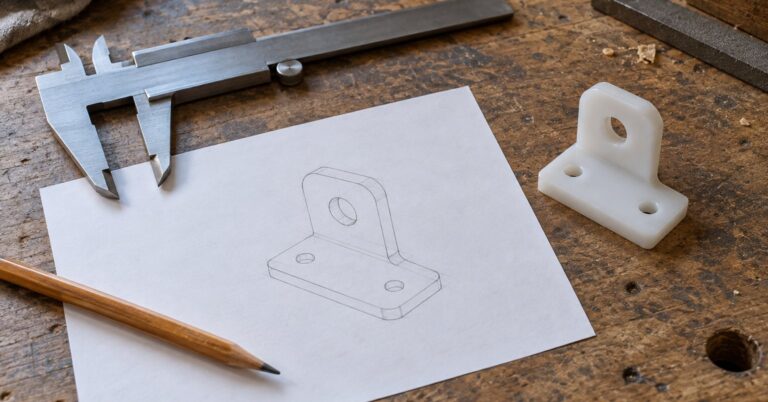
OpenSCAD is free open-source 3D CAD for people who would rather write a part down than sculpt it with the mouse. 1 5 You describe the shape in a small script, OpenSCAD builds a solid model from that file, and you keep the file on your computer. It suits brackets, boxes, clips and other pieces with sizes you expect to change.
Last checked October 28, 2026.
At a glance
- What it is: A script-based program for solid 3D CAD models. 1
- Works on: Linux, Windows and macOS, plus NetBSD, FreeBSD and OpenBSD on the downloads page. The stable macOS file is 64-bit Intel. A development snapshot is a universal build for Intel and Apple Silicon. 1 2
- Price: Free software, with downloads on the project’s site. 1 2
- Licence: GNU GPL version 2, plus a special exception for linking with the CGAL library. 5
- Best for: Parts whose measurements you want to keep in a text file.
- Official site: openscad.org
What OpenSCAD does (and how it protects your privacy)
OpenSCAD creates solid 3D CAD objects. The project calls it free software for Linux/UNIX, Windows and macOS. It reads a script that describes the object and builds the model from that script, including designs defined by parameters you can change. 1
That script is the privacy benefit. The design is text you save yourself. You can copy it, keep an older copy, or open it in any editor.
It models in two ways: constructive solid geometry and extrusion of flat outlines, including DXF. It can read and write STL and OFF. The user manual also lists 3MF, and says SVG is used for 2D work. 1 6
Key features of OpenSCAD
- Shapes in a script. Combine primitive shapes with union, intersection and difference, and place them with rotate, scale and translate. 1
- Parameters. A design can be defined by values you edit, then you build it again. 1
- Preview and render. Preview (F5) is the quick view. Render (F6) builds the exact geometry. Both are on the Design menu. 7
- Three panes. A text editor, a console for messages, and a view of the model. 7
- Common file types. STL, OFF and 3MF for solids, and DXF and SVG for flat outlines. 1 6
- Signed releases. The downloads page says releases are signed with GnuPG. 2
- Flatpak network off. The Linux Flatpak leaves network access off until you enable it, including for remote print services. 8
- Snapshots. Development builds are on the same downloads page, including a Manifold geometry engine you can enable in Preferences. 2
Pros and cons
Pros
- The design is a text file you keep, so the next size is an edit you can read later.
- It is free software, and the downloads page links to the source on GitHub. 1 2
- Preview is the fast look. Render is the exact mesh. You choose when to wait. 6 7
- The news page has a post dated 25 September 2026, so the project is still publishing. 4
- The Linux Flatpak build has no network access until you allow it. 8
Cons
- You describe shapes in a script. The project says OpenSCAD is not an interactive modeller. 1
- The project says it focuses on CAD rather than artistic modelling, and that it is probably not the tool for computer-animated movies. 1
- A full render of a large design can take minutes or hours. Preview is quicker, and the manual says it is an approximation that can show artifacts. 6
- The stable downloads are OpenSCAD 2021.01, announced on 31 January 2021. Later work is in the development snapshots, which are a separate download. 3 4 2
- The stable macOS package is labelled 64-bit Intel and asks for OS X 10.9 or newer. The universal Intel and Apple Silicon build is a development snapshot and asks for macOS 11 or newer. 2
- The stable Windows line is Windows 7 or newer, 32-bit or 64-bit x86. Snapshot Windows builds ask for Windows 11 on Intel or AMD, and the page says ARM-based Windows is not supported there. 2
Is OpenSCAD safe and private?
The model starts as a script on the computer where you installed the program. The licence is the GNU General Public License, version 2, with a short exception that allows linking with the CGAL library as long as the rest of the program follows the GPL. The downloads page points to the source repository, openscad/openscad on GitHub. 5 2
The project announced OpenSCAD 2021.01 on 31 January 2021. The script behind the stable download buttons still names OpenSCAD 2021.01 for macOS, Windows, the Linux AppImage and the source archive. On 27 February 2021 the project wrote that Talos had reported CVE-2020-28599 against a release candidate: a specially crafted STL file could trigger a vulnerability. The project said the fix landed before the final release, so OpenSCAD 2021.01 is not affected. 4 3
The Linux Flatpak packaging disables network access by default. You enable it if you want it, for example for remote print services. That rule is for the Flatpak build. Windows and macOS installers are separate files. Releases are signed with GnuPG, key ID 0xF3E12CCC22164A0F, listed as OpenSCAD <[email protected]>. 8 2
An experimental WebAssembly build on the downloads page runs in a web browser. The project says it is slow, with no preview, no fonts and no built-in GUI. A script you type into a website is a different choice from a file in the desktop program. 2
How to get started with OpenSCAD
- Open the downloads page and take the stable release: the Windows installer or zip, the 64-bit Intel macOS image, or a Linux package or AppImage. 2 3 On Linux, the Flatpak packaging notes install the release version with
flatpak install flathub org.openscad.OpenSCAD. 8 - Install it as you would any other program. On the Linux Flatpak, leave network access off unless you want a remote print service. 1 8
- Open OpenSCAD. You get a text editor, a console, and a view of the model. 7
- Type a first shape. The project’s getting-started note uses
cylinder(h = 30, r = 8);1 - Choose Design, then Preview (F5). Change the height or the radius and preview again. 7
- When the shape looks right, choose Design, then Render (F6), for the exact geometry. A large design can take minutes or hours. Preview is the fast approximation. 7 6
- Export an STL or 3MF and save the
.scadscript beside it. That script is the design you change next time. 6
Who should use OpenSCAD (and who might prefer something else)
OpenSCAD fits you if you want exact measurements written in a script, and you want that script as a file you control. Brackets, enclosures and clips are the usual work, because the next size is a number in the file.
For dragging faces and revising dimensions on screen, see FreeCAD. The OpenSCAD project says it focuses on CAD rather than artistic modelling, and names Blender as an example; the Academy guide is Blender. For a flat drawing first, Inkscape makes SVG files, and the OpenSCAD manual says SVG can be used for 2D outlines. 1 6
Frequently asked questions
Is OpenSCAD free?
Yes. The project calls it free software. The stable downloads named on its site are OpenSCAD 2021.01 for macOS, Windows, a Linux AppImage and the source archive. 1 3
Is OpenSCAD safe?
The design is a script on your computer, the source is public, and releases are signed with GnuPG. The project says OpenSCAD 2021.01 is not affected by CVE-2020-28599. On Linux, the Flatpak build has no network access until you enable it. 2 4 5 8
Does OpenSCAD work on iPhone?
The official downloads are for Linux, Windows, macOS and BSD desktops. An experimental browser build exists, and the project says it is slow, with no preview, no fonts and no built-in GUI. Use the desktop program for a part you want to keep. 2
What is the latest OpenSCAD version?
The stable files on the official download script are OpenSCAD 2021.01, announced on 31 January 2021. Development snapshots are separate, and the downloads page mentions a Manifold geometry engine in those builds. 3 4 2