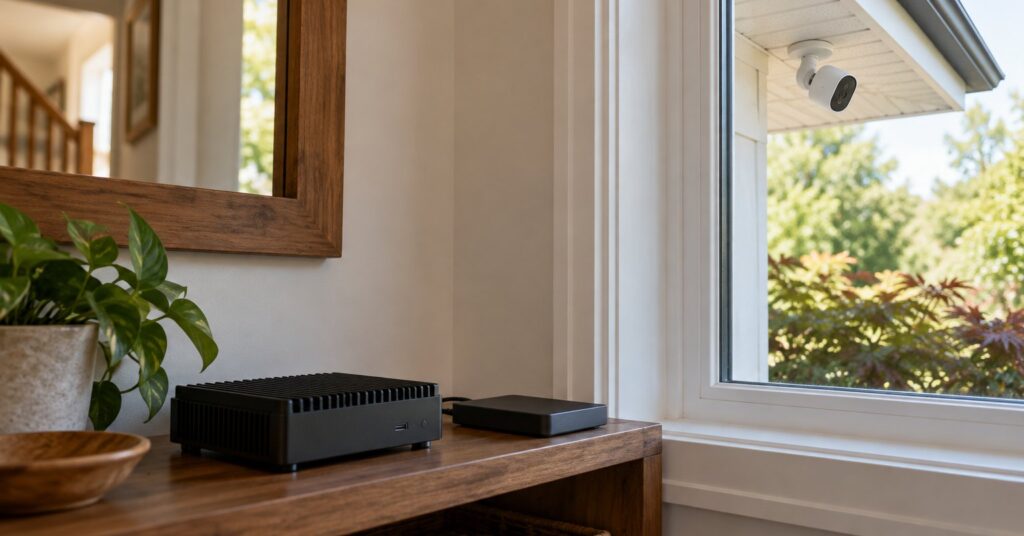
Frigate is a free open source NVR for IP cameras.12 An NVR records network cameras on a computer you run. Frigate adds object detection: it looks at the picture and can name a person, a car, or another object. The project says that work happens on your hardware, that the camera feeds stay in the house, and that you do not have to pay to send them away for analysis.1
Last checked October 28, 2026.
At a glance
- What it is: An open source NVR with real-time object detection on your own hardware.1
- Works on: Docker, including a Home Assistant app. It runs best on a bare-metal Debian-based system. Windows is not officially supported. Apple Silicon Macs have a Docker setup.4
- Price: Free under the MIT licence. Optional Frigate+ models are $50 a year.27
- Licence: MIT for the code. The name and logo are trademarks of Frigate, Inc., and are outside that licence.2
- Best for: Homes with IP cameras and a small always-on computer, keeping detection and recordings in the house.
- Official site: frigate.video
What Frigate does (and how it protects your privacy)
A plain motion sensor treats wind, shadows and headlights as events. Frigate can ask a detection model whether the movement is a person, a car, or another object. The project says you do not have to pay to send that footage to the cloud for analysis. With a supported AI accelerator, the site says Frigate can run 100 or more object detections a second.1
Zones tie an alert to a place, such as the front steps or the driveway. You can record all day, or keep video based on the objects found. The browser can show a low-delay live view, and Frigate can re-share one camera stream so several apps connect to Frigate instead of the camera.12
Events can go to Home Assistant, openHAB, NodeRed, or anything that speaks MQTT. MQTT is a short message pipe for home events, such as a person on the drive. MQTT is optional until you want Home Assistant. Then both sides must use the same broker, and the integration is a separate install from the Home Assistant app.14
Key features of Frigate
- Local detection. Processing stays on your hardware, and the project says the camera feeds stay in the house.1
- Zones for places such as the path or the drive.1
- Recordings you choose. All-day recording and object-based retention are both supported. Tracked-object video is kept 10 days unless you change it.25
- Your disk. Segments go to
/media/frigate/recordings, mapped to a folder or drive you pick.4 - Browser accounts. First start creates an admin login. Passwords are stored as a slow hash and must be at least 12 characters.56
- Face and licence-plate recognition from version 0.16, with or without Frigate+.7
- Optional generative AI. A local model stays on your machine. A cloud provider sends images and prompts away.8
Pros and cons of Frigate
Pros
- Basic detection is built to run at home, without a cloud analysis plan.1
- The code is MIT-licensed. You may use, change and share it if the copyright notice stays with it.2
- A viewer can watch only, and a custom role can be limited to named cameras.6
- Frigate+ is optional, including for face and licence-plate recognition.7
- Release 0.18.2, published 15 October 2026, includes security fixes.3
Cons
- You run a server. Docker Compose is the recommended install.4
- A GPU or AI accelerator is highly recommended. The default is one OpenVINO detector on the CPU.25
- Windows is not officially supported. A virtual machine is not recommended, though some people use Proxmox.4
- The Home Assistant app cannot use AMD, Nvidia or Intel NPU acceleration, or a separate local disk for media.4
- Port 5000 has no login and counts as an administrator. Port 8554’s restream has no login until you add one.46
- Frigate+ is $50 a year. Cloud generative AI, once you enable it, sends images and prompts to that provider.78
Is Frigate safe and private?
The public site says processing is local and camera feeds never leave your home. Recordings sit on storage you attach. Copyright is held by Frigate, Inc., and the code is published as blakeblackshear/frigate. Version 0.18.2, from 15 October 2026, includes security fixes.1234
Passwords are stored as PBKDF2-SHA256 hashes with 600,000 iterations. A hash is a one-way scramble: Frigate can check the password without storing it. On port 8971 an admin can change settings and a viewer can only watch. On port 5000 those roles are ignored. The install guide calls 8971 authenticated access without TLS, the padlock that scrambles a page on the wire, and says reverse proxies should use it. Getting started opens https://server_ip:8971.456 Watching from outside the house still crosses your provider. What the internet provider can still see explains that limit.
Frigate+ models are trained on images from security cameras used by Frigate users. You do not have to upload your own. Subscribers can use base models trained on other people’s cameras. Generative AI is available once you add a provider. llama.cpp and Ollama, run locally, keep that step on your hardware. Cloud providers need the internet because they send images and prompts to their servers.78
How to get started with Frigate
- Use IP cameras with a network stream. The examples use RTSP, a common way cameras share live video on the local network.5
- Docker Compose is the recommended install, and Frigate runs best on a bare-metal Debian-based system. On Home Assistant OS, add the app repository
https://github.com/blakeblackshear/frigate-hass-addons. That app is not the integration.4 - Create
configandstoragefolders, useghcr.io/blakeblackshear/frigate:stable, and start Docker Compose as the getting started guide shows. The sample is for amd64. Other official tags cover arm64, Nvidia and AMD.45 - Read the admin user and password from
docker logs frigate, open port 8971, and set a new password of at least 12 characters. The free BellCrier password generator can make one.56 - Add a camera in Settings. Until you change it, detection is one OpenVINO detector on the CPU. A GPU or AI accelerator is what the project recommends.25
- Turn recording on. Tracked objects are kept 10 days unless you change that. Mask timestamps and trees that move all day. Leave port 5000 unpublished, password-protect port 8554 if other apps use the restream, and run 0.18.2 or newer.345
Who should use Frigate (and who might prefer something else)
Frigate fits a home that already has IP cameras, a machine that stays on, and someone ready to follow a Docker or Home Assistant setup. A GPU or other accelerator is the comfortable path. The project says AI accelerators outperform even the best CPUs with very little overhead.2
A doorbell you buy is a different job. The eufy video doorbell and the Aqara doorbell cover that kind of product. Another open-source recorder to compare is ZoneMinder.
Frequently asked questions
Is Frigate free?
The NVR is free under the MIT licence. Frigate+, the optional model plan, is $50 a year, with up to 12 fine-tuned models. Extra fine-tunings are $5. Models from a subscription remain downloadable if you cancel.27
Is Frigate safe and private?
The project says detection runs locally and feeds stay at home, on storage you attach. Use the login port, keep port 5000 private, and run 0.18.2 or newer for the security fixes in that release. Cloud generative AI sends images and prompts away. Uploading to Frigate+ is optional.134678
Does Frigate work on Windows or iPhone?
Windows is not officially supported. Some people use WSL or VirtualBox, and passing a GPU or Coral through may be difficult or impossible. Apple Silicon Macs have a Docker setup. The install guide does not cover a phone app. You use the web page.4
Does Frigate need Home Assistant?
No. The readme calls it a complete local NVR, and MQTT can stay off. The Home Assistant integration needs MQTT and a shared broker. The Home Assistant app and that integration are separate.24