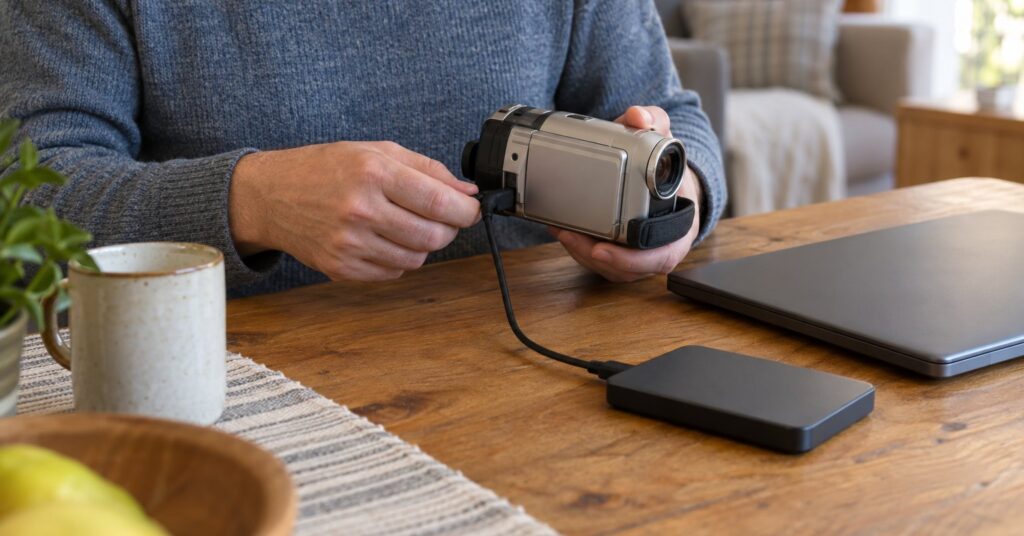
HandBrake is a free open-source video converter for people who already have a video and want a new copy that plays on a phone, a television or a computer.1 It runs on Windows, Mac and Linux.1 A normal conversion does not need an account or an internet connection.4 The privacy benefit is that HandBrake processes the video on your computer rather than through a HandBrake-hosted cloud service.4
Last checked October 28, 2026.
At a glance
- What it is: A video transcoder that makes a new MP4, MKV or WebM file from a video you already have.1
- Works on: Windows 10 and later (Intel, AMD and Qualcomm ARM), macOS 10.13 and later, and Linux through Flathub.2
- Price: Free. No purchase, subscription or account.4
- Licence: GNU General Public License, version 2. Some portions use the BSD 3-Clause licence.34
- Best for: A smaller file, or one that plays on another device, made from a video you already have.1
- Official site: handbrake.fr
What HandBrake does (and how it protects your privacy)
A transcoder builds a new video file from one you already have. HandBrake converts supported sources to MP4, MKV or WebM.1 It is a post-production tool: to change the source, use video editing software. It does not join several clips into one file.1
It can crop and resize, reduce combing from interlaced video (a picture stored as alternating lines), pass some audio through unchanged, and keep, add or remove soft subtitles, which are stored as text.1 It can also make a smaller file.1 The picture is always converted. HandBrake does not pass the video track through unchanged.1
Video processing happens on your computer, not on a HandBrake cloud service.4 An internet connection is not required for a normal conversion.4 An optional update check can ask whether a newer release exists, and you can turn that check off in preferences.4 The current download is version 1.11.2, announced on 7 June 2026.28
HandBrake’s key features
- Presets: Presets are one-click settings. The default Fast 1080p30 preset is fast and compatible with most devices.7
- Output files: HandBrake writes MP4, MKV and WebM. Video encoders include AV1, H.265, H.264, VP9 and VP8.3
- Hardware encoding: Optional hardware-accelerated video encoding.3
- A queue: You can batch-scan files and line up several encodes.3
- Subtitles and chapters: VobSub, closed captions, SSA, SRT and chapter markers.3
- Picture tools: Deinterlace, denoise, crop, scale and a live preview.3
- Quality choices: Constant quality or average bitrate, plus HDR pass-through.3 HDR means a wider range of bright and dark detail.
HandBrake pros and cons
Pros
- Free to download and use, with no purchase, subscription or account.4
- Conversion stays on your computer instead of a HandBrake-hosted cloud service.4
- The project says the app does not collect telemetry or information about your media to send to the project.4
- Official downloads are this website, the HandBrake GitHub project and Flathub, with checksums and OpenPGP signatures.2
- Presets are one-click settings that save time and help the file play on more devices.7
- The source is published, and HandBrake is licensed under GPLv2.4
Cons
- Video is always converted, and the preset you pick affects how long the encode takes.17
- It does not combine several clips into one file.1
- It does not remove copy protection, and it does not open files that use DRM. DRM is a lock that limits copying.1
- The download page lists Windows, macOS and Linux, not an iPhone or Android app.2
- When a new version is released, older versions become end-of-life and stop receiving updates.4
- There is no commercial support contract. Help is the documentation, community support and the GitHub issue tracker.4
Is HandBrake safe and private?
HandBrake is a volunteer-run open-source project. The privacy policy says it is not managed by a company, corporation or sponsor.5 The application is licensed under GPLv2.4 Public source is not a paid audit: the project says it does not complete third-party security questionnaires or provide security scan reports.4
The app does not collect telemetry or details of your video to send to the project.4 Activity Logs stay on your computer and are not sent unless you share one. You can remove private details before you do.6
The update checker is optional. A check that uses handbrake.fr is recorded in the website’s access logs, which may include your IP address. The app version is included in that request where it applies. The standard check does not transmit your logs, error reports, source files or encoded video.5 A check that contacts GitHub directly is handled under GitHub’s own policy, and GitHub may see the IP address.5 The website is separate from the app, is hosted in France, and does not use cookies.5 Other download sites may offer modified or outdated copies, so use the official site, GitHub or Flathub.4
How to get started with HandBrake
- Download from an official source. Open HandBrake’s download page. Choose the Windows installer for Intel or AMD, or the Qualcomm ARM64 build; macOS 10.13 or later; or the Linux Flatpak from Flathub. The page offers checksums and OpenPGP signatures so you can confirm the file.2
- Install and open it. No account is required, and the conversion itself does not need an internet connection.4
- Decide about update checks. Leave the checker on if you want HandBrake to look for new releases, or turn it off in preferences. You can still visit the download page yourself.4
- Open a video you already have. Use Open Source, or drag the file onto the window. If there is more than one title, pick the clip you want. A title is one video inside the source.7
- Choose Fast 1080p30 and a folder on your computer. Set the file name and remember the destination so you can find the result.7
- Start the encode. HandBrake shows progress and tells you when it has finished. The new file is at the destination you chose.7 Keep the original until you have watched the copy.
Who should use HandBrake (and who might prefer something else)
Choose HandBrake when you want a smaller file, or one that plays on another device, with the work done on your computer.14 Try one short clip with Fast 1080p30 before a whole folder.7
To trim without rebuilding the picture, LosslessCut is the closer match, because HandBrake always converts the video.1 To record a screen or a talk first, use OBS Studio. HandBrake starts from a file you already have.7 Play the result in VLC media player. To join several clips, use video editing software. HandBrake’s guide says it does not combine clips, and that changes to the source belong in a video editor.1
Frequently asked questions
Is HandBrake free?
Yes. HandBrake is free to download and use, with no purchase, subscription or account.4 It is a volunteer project and is not managed by a company.5
Is HandBrake safe, and does it upload my videos?
A normal conversion happens on your computer. The project says the app does not collect information about the source or the finished video to send to the project.4 The optional update check can contact handbrake.fr or GitHub, and that connection can include your IP address, but the privacy policy says the standard check does not transmit the video.5 Download from an official source. Other websites may distribute copies the project does not verify.4
Does HandBrake work on iPhone or Android?
The official download page offers Windows, macOS and Linux, including a Linux Flatpak on Flathub. It does not list an iPhone or Android app.2 HandBrake is designed to make files that can play on a mobile phone, from the computer where you run it.1
Can HandBrake copy a protected DVD or a streaming download?
No. HandBrake does not defeat copy protection, and it does not open DRM files, including many commercial discs and copy-protected online video.1 It can process most common files, and unprotected DVD or Blu-ray sources.3 Do not copy material you do not own or have the right to copy.1