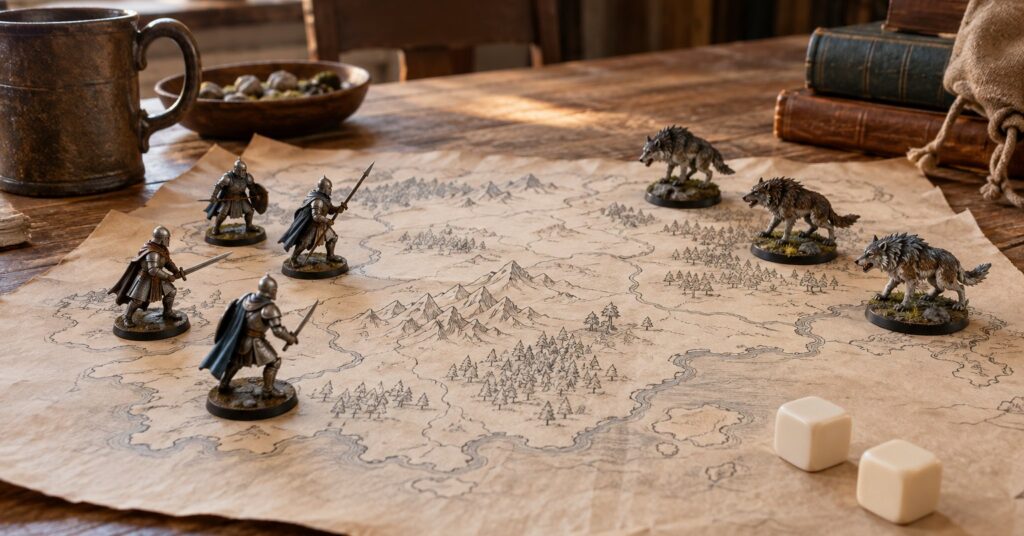
The Battle for Wesnoth is a free open-source strategy game about leading a fantasy army, one turn at a time.14 It is for anyone who wants a long story on their own computer, with a friend in the room or online later. The campaigns come with the copy you install, and the source code is published.1
Last checked October 28, 2026.
At a glance
- What it is: A turn-based fantasy strategy game with solo campaigns, same-computer play, and optional online matches.1
- Works on: Windows, macOS, and Linux. An Android alpha exists. The iOS port is an older, unmaintained build.12
- Price: Free. On the project’s itch.io page you can pay nothing, or pay something toward the game.467
- Licence: Game code is GPL version 2 or later. Pictures and music are under that GPL or Creative Commons BY-SA 4.0.3
- Best for: People who want a long fantasy campaign they can play without a shop account.
- Official site: wesnoth.org7
What The Battle for Wesnoth does (and how it protects your privacy)
The Battle for Wesnoth is a turn-based strategy game with a high-fantasy setting.1 You recruit soldiers, move on a map, and fight on your turn. The project’s description says you pick units that do well on different ground, then recall your toughest veterans in a later game.7
Steam describes seventeen solo campaigns, a level editor, seven factions, and more than fifty multiplayer maps.4 The Flathub listing says there are at least two hundred unit types.7 Extra eras can be downloaded from the Add-ons menu.5 The stable branch has the largest online crowd and a wide add-on list.2
A solo campaign is part of the installed game.1 Hot-seat play means several people share one computer.5 You can host a game for friends with no internet.5 Choosing “Join official server” is how you reach the public server, and the Add-ons menu is how you download extra eras.5
Key features of The Battle for Wesnoth
- Solo campaigns with more than one difficulty each.1
- Veterans you keep and recall in a later game.7
- Multiplayer your way: one computer, a game you host, or the official server.5
- A match password the host can require before someone joins.5
- A map editor for scenarios you can share, plus a simple scripting language.14
- Add-ons for extra eras, downloaded from the main screen.5
- 16 supported languages listed on Steam.4
- A free-software licence: code, maps, and story text under GPL version 2 or later; some art and music under CC BY-SA 4.0.3
Pros and cons
Pros
- The game is free on Steam and Flathub, and the itch.io page lets you pay nothing.467
- Solo play and hot-seat play stay on one computer, and you can host a friends-only game with no internet.5
- Updates are still coming. Stable 1.18.8 is the recommended desktop build, and F-Droid added Android 1.19.29 on 25 October 2026.28
- Friends need not use the same shop. The project said the download source does not matter for playing together.6
Cons
- A typical session is about an hour.6
- The 1.19 development branch can have bugs or performance problems. Most players are pointed to stable 1.18.2
- Android is an alpha of 1.19 and works best on a tablet. The iOS port is unmaintained and remains version 1.14.18
- The project said the F-Droid build may not stay available long, because of app-registration changes at Google.6
- There is no browser edition.6
- On the public server your chosen name is how you appear, and lobby chat is visible to everyone there.5
Is The Battle for Wesnoth safe and private?
Steam names the Battle for Wesnoth Project as the developer and Wesnoth Inc. as the publisher of the shop copy.4 Code, including scripts, maps, and story text, is under the GNU GPL version 2 or later. Pictures and music are under that GPL or Creative Commons BY-SA 4.0. The copyrights page says its wording wins if another page disagrees.3 The GPL lets people copy and change the game. BY-SA asks for credit, and for edits to stay under the same licence.
Single-player is separate from online play.1 Online, the username you type is how you appear.5 The guide advises registering that name on the Wesnoth forums so nobody can impersonate you, and so you can replace an old connection that is still logged in.5 Lobby chat is visible to everyone there.5 A private message goes to one person, and a host can password a match.5
The Steam listing includes Steam Cloud.4 If you would rather skip a shop account, use the download page, itch.io (tagged DRM-free), or Flathub. Flathub lists version 1.18.8 and shows the project website wesnoth.org.67 Donations through Software in the Public Interest, Liberapay, and itch.io pay costs such as server rent and commissioned art.1
F-Droid’s suggested Android package is 1.19.29, added on 25 October 2026, for Android 6.0 or newer. F-Droid builds and signs it and says the package matches the published source. The listing allows network connections, plus reading and changing shared storage. The page calls the build an alpha of the 1.19 branch, best on a tablet.8
How to get started with The Battle for Wesnoth
- Use the stable game unless you want unfinished changes. The download page recommends branch 1.18 and lists 1.18.8 for Windows and macOS.2
- Download from a place the project names: the download page or itch.io for Windows and macOS 1.18.8, Flathub on Linux, or Steam if you already use it. The readme also lists the Mac App Store.167
- Check the computer. Official Windows builds need 64-bit Windows 10, version 1903 or later. Official Mac builds need macOS 10.12 or later. Steam lists 2 GB of memory and 800 MB of disk as the minimum.24
- On Linux, use the Flathub package. Other distribution packages exist, and not all of them are current. Lutris can hold the rest of a Linux game collection in one place.2
- Start a built-in campaign. Hire units, move them, and fight. Each campaign has more than one difficulty.1
- Open Add-ons for extra content. For a friend in the room, choose Local game. Online, join the official server or host a game. Versions on the 1.18 branch are compatible with each other.25
Who should use The Battle for Wesnoth (and who might prefer something else)
The Battle for Wesnoth suits someone who likes a fantasy story and a game that waits for each move. It also suits a household that would rather share one computer than make a shop account for every player. Flathub shows an age rating of 10+.7
If you would rather lay tracks and grow towns, OpenTTD is the open-source transport game. If you want a short race instead of a long battle, SuperTuxKart is the lighter option. If you want to build machines and defend a base in the same match, Mindustry mixes those two ideas.
Frequently asked questions
Is The Battle for Wesnoth free?
Yes. Steam lists it as free to play, Flathub lists it as free, and the itch.io page lets you pay nothing.467
Is The Battle for Wesnoth safe?
The code is published under the GPL, and single-player is separate from online play.13 Online you appear under a name you choose, and lobby chat is public there. The F-Droid package matches the published source.58
Does The Battle for Wesnoth work on iPhone?
Not as a current app. The iOS port is unmaintained and is still version 1.14. Android is a separate alpha on F-Droid, and there is no browser version.168
Can I play The Battle for Wesnoth offline?
Yes. Solo campaigns and hot-seat play use one computer, and you can host a game for friends with no internet. The official server and the add-ons menu need a connection.5