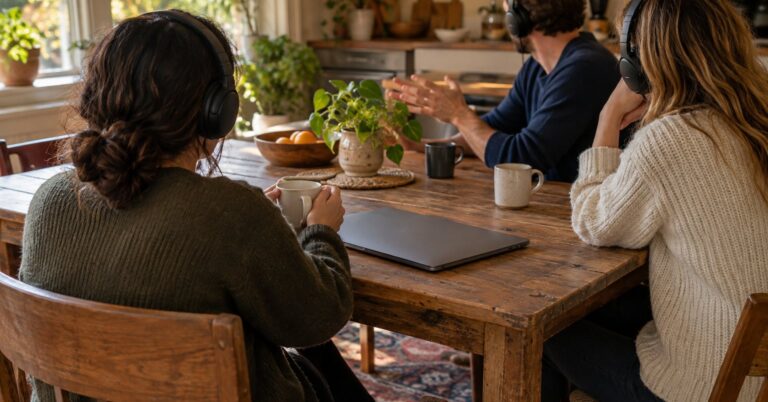
Jitsi Meet is free open source video conferencing for families, clubs and small teams. Open source means the program’s instructions are public, so you can join in a browser or run the same software on a computer you control. Audio and video are encrypted in transit, and you can add end-to-end encryption for the picture, sound and screen share.
Last checked October 28, 2026.
At a glance
- What it is: Browser-based video meetings, with a desktop app and a server you can run yourself.
- Works on: Web browsers on computers and phones; a desktop app for Windows, macOS and Linux.7 Server installs are documented for Debian 12 or newer and Ubuntu 24.04 or newer.5
- Price: The public service is free.2 Meetings there are limited to 95 minutes.3 The software carries no licence fee.4
- Licence: Apache License 2.0.4
- Best for: A private call with a link, or a video server your group looks after.
- Official site: jitsi.org
What Jitsi Meet does (and how it protects your privacy)
Jitsi Meet gives everyone a web page. The starter picks a name, or accepts one the site suggests, and shares the link.6 Later guests do not need an account. A display name is optional and stays with the people in the call.1 Rooms are ephemeral: they exist only while the meeting is going on. When the last person leaves, that meeting is gone, and the same name later starts anew.1
Picture and sound are encrypted on the network with DTLS-SRTP, the lock built into this kind of browser call.1 On a call that passes through Jitsi’s video bridge, that outer lock is opened in memory so the bridge can pass the call along. Jitsi says those packets are not written to permanent storage.1 End-to-end encryption is a second lock. It covers audio, video and screen sharing. Chat and polls stay outside it.1
8×8 hosts meet.jit.si and is the main contributor.2 Since 24 August 2023, the person who creates a room there signs in, and Jitsi keeps that account. The handbook names Google, Facebook and GitHub.16 Running it yourself puts the meeting on a machine your group administers. Jitsi documents a Docker setup and a quick-install guide.1 For notes beside the call, try Etherpad.
Key features
- A suggested room name: The start page can propose a name, and you can replace it.6 Jitsi says the generated names come from over a trillion combinations.1
- A meeting password: You can add one for invited people. It is cleared, with the chat, when the last person leaves.1
- End-to-end encryption: On Chromium-based browsers from Chromium 83 onward (Chrome, Edge, Brave, Opera and others) and in the Electron app, a security option adds the extra lock.1
- Chat during the call: Messages are kept while the call lasts, then destroyed when it ends.1
- A desktop app: The Electron app runs on Windows, macOS and Linux, shares a screen, and works with meet.jit.si or a server you run.7
- Your own server: The quick-install guide supports Debian 12 or newer and Ubuntu 24.04 or newer, with Let’s Encrypt as the recommended certificate.5
- Recording on the public service: Cloud recordings stay on 8×8’s servers until they upload to Dropbox, and are deleted if that has not happened within 24 hours.1
Pros and cons
Pros
- The public service is free, and the Apache licence allows use without a licence fee.24
- Invited people can join the link without creating an account.1
- A copy you install does not come with analytics engines already switched on.1
- An empty room starts fresh the next time someone joins.1
- The desktop app works with a server you run, as well as with meet.jit.si.7
Cons
- Meetings on meet.jit.si are limited to 95 minutes, a rule announced on 9 October 2026.3
- The person who starts a room on meet.jit.si has to sign in with Google, Facebook or GitHub.6
- On meet.jit.si, every participant is a moderator, so mute and remove controls are available to everyone in the room.1
- The extra encryption leaves out chat and polls, and the desktop project still marks that option as beta.17
- The Windows installer is unsigned. Jitsi says the warning on first install is expected.7
- Your own server needs a hostname, a trusted certificate and open ports. By default anyone who can reach it can start a conference. Mobile apps reject a self-signed certificate.5
Is Jitsi Meet safe and private?
8×8’s privacy supplement says meet.jit.si may store the sign-in account, the meeting address, and phone numbers used to dial in.2 Chat is kept during the meeting. A recording is kept until it uploads to the file host you chose, and a livestream is buffered while it runs.2 8×8 says it does not sell personal information. It uses this data to run the service, fix problems, improve it, and look into fraud or abuse.2 Names, email addresses and profile pictures from a meeting are not kept afterwards. The creator’s account is kept for reports that the terms were broken, including work with authorities.1
meet.jit.si uses analytics. Jitsi names Amplitude, Datadog and Crashlytics, and lists an anonymous identifier, bitrate, bandwidth, call-setup data, feature use and mobile crash reports.1 A copy you install does not ship with those engines configured.1 The latest stable GitHub release is 2.0.11248, from 14 September 2026, under the Apache License 2.0.84 Jitsi also warns that a short, common room name is easy to guess, and that a public link invites unwelcome visitors.1
How to get started
- On a computer or a phone, open a browser and go to https://meet.jit.si.6
- For a desktop window, download the Electron app for Windows, macOS or Linux.7
- Enter a meeting name, or keep the suggested one. Skip spaces and unusual characters, which the handbook says can cause problems.6
- Allow the camera and microphone, type a display name if you want one, and join.6
- If you are first on meet.jit.si, sign in with Google, Facebook or GitHub, or wait for a moderator.6
- Share the link only with the people who should be there. Add a password, and on Chrome, Edge, Brave, Opera or the desktop app turn on end-to-end encryption.1
- To host it yourself, follow the Debian or Ubuntu guide, set a hostname, and use a certificate from a trusted authority.5
Who should use it (and who might prefer something else)
Jitsi Meet fits a family, a club or a study group that wants video from a link, with guests joining without a new account. The 95-minute cap on meet.jit.si matters for long workshops. A server you run is the path when that cap, or the sign-in for the person who starts the room, gets in the way.31 For voice only, during a game, Mumble is built for that job. For written threads that stay up all week, Zulip keeps the conversation after the call ends.
Frequently asked questions
Is Jitsi Meet free?
Yes. 8×8 describes meet.jit.si as free video meetings, and the Apache License 2.0 grants use at no charge.24 From 9 October 2026, those public meetings are limited to 95 minutes.3 A server of your own still needs a computer and a connection you pay for.
Is Jitsi Meet safe?
Calls use DTLS-SRTP on the network. Jitsi says media on the video bridge lives in memory only while it is routed, and is not stored.1 The optional end-to-end layer covers audio, video and screen sharing, and leaves out chat and polls.1 On meet.jit.si the starter signs in, analytics tools are in use, and every participant is a moderator.1
Does Jitsi Meet work on iPhone?
Yes, in a phone browser at meet.jit.si.6 Jitsi also documents mobile apps. They need a certificate from a trusted authority, so a self-signed certificate on your own server is not enough.5
Does Jitsi Meet need an account?
On meet.jit.si, the person who creates the room signs in with Google, Facebook or GitHub.6 Later guests do not need an account.1 On your own server, the default lets anyone who can open the site start a meeting. The guide also shows how to limit that to registered users.5
Sources
- Jitsi: Jitsi Meet Security & Privacy
- Jitsi: meet.jit.si Privacy Supplement
- Jitsi: Free Video Conferencing Software for Web & Mobile
- Jitsi: jitsi-meet LICENSE
- Jitsi Meet handbook: Self-Hosting Guide – Debian/Ubuntu server
- Jitsi Meet handbook: Start a Jitsi Meeting
- Jitsi: Jitsi Meet Electron README
- GitHub API: jitsi/jitsi-meet releases